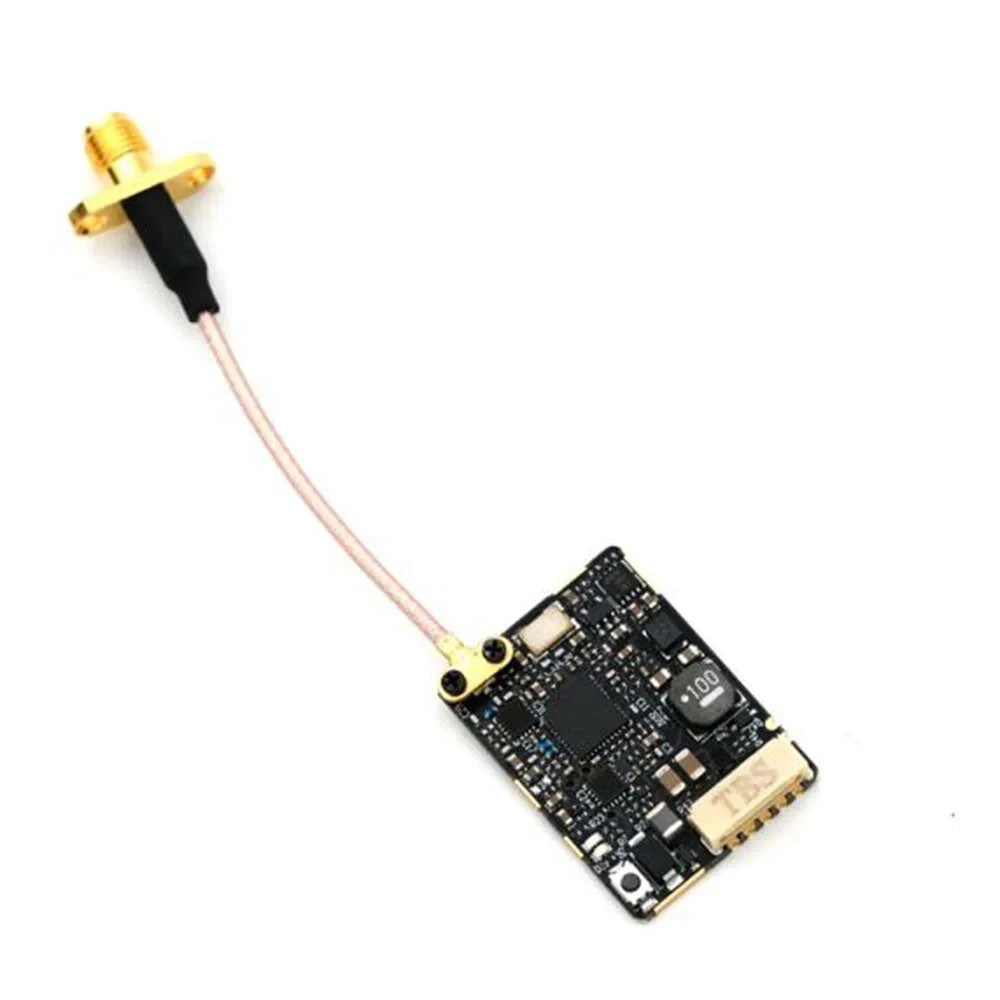
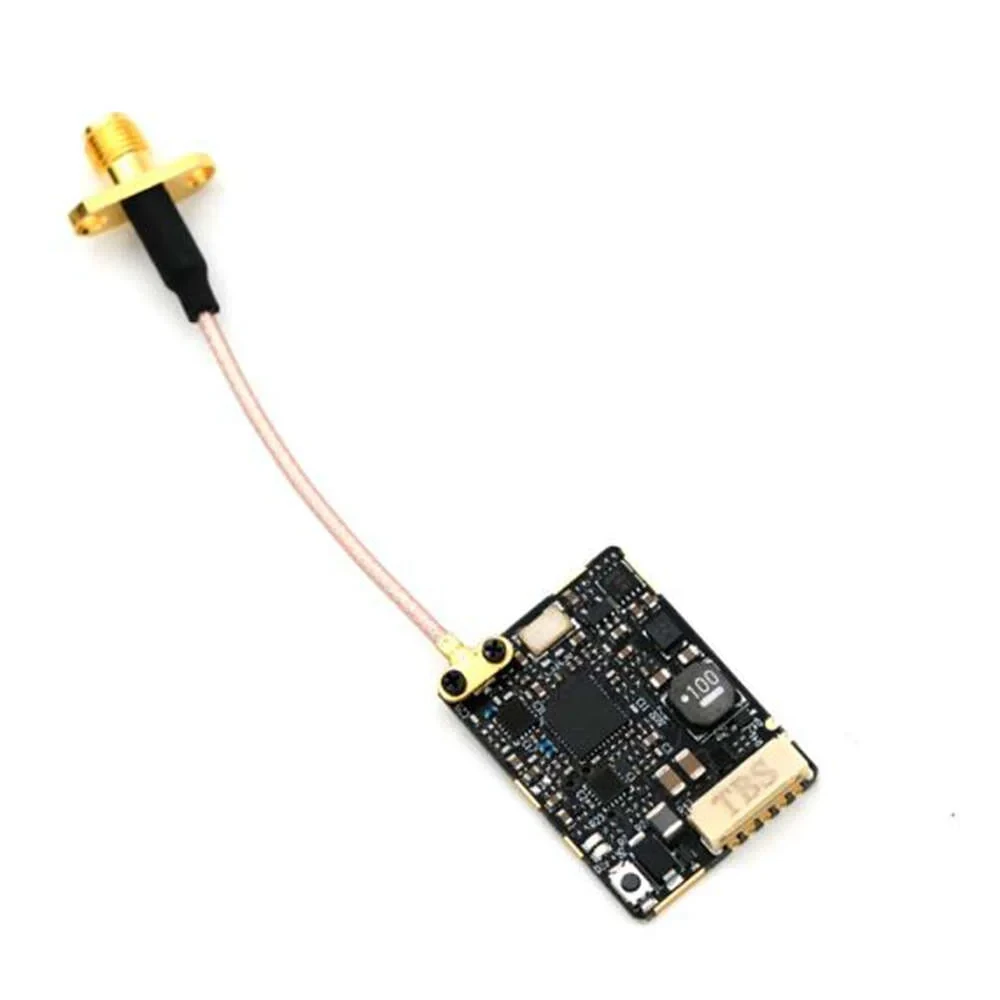
TBS Unify Pro 5G8 HV (SMA) VTX
The TBS Unify Pro 5G8 HV is an analog video transmitter for FPV pilots. Plug it straight into your pack – it filters the power and feeds your camera, so you get clean video without extra electronics. PitMode and CleanSwitch let you power up and change channels without spoiling anyone else’s video, and SmartAudio brings every setting into your OSD menu.
Nadajnik wideo TBS Unify Pro 5G8 HV – Czysty obraz prosto z pakietu
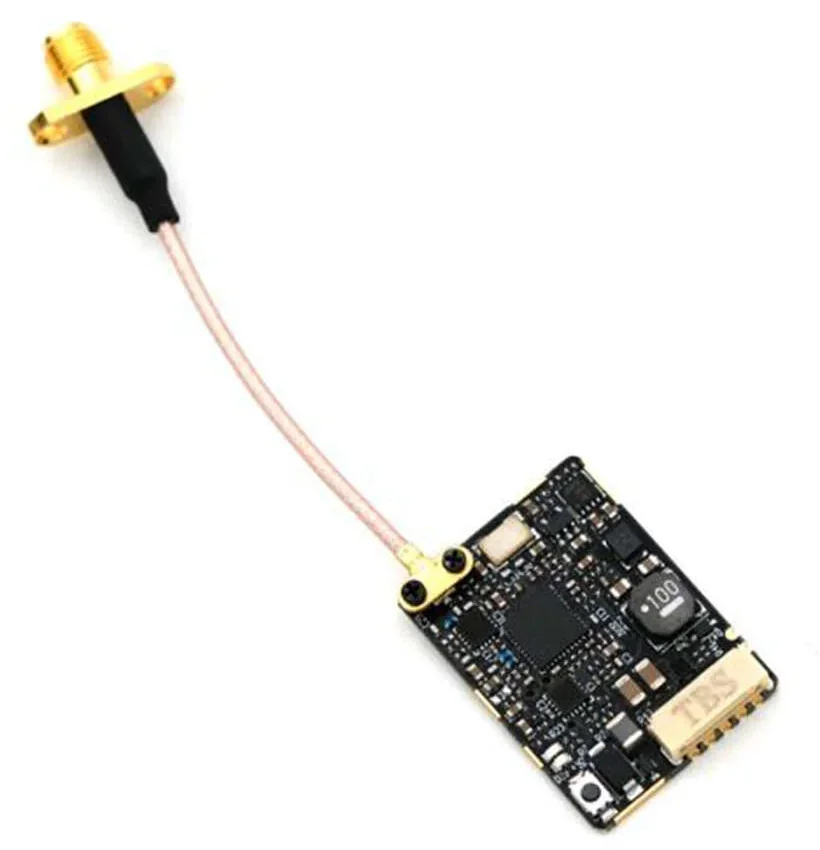
TBS Unify Pro 5G8 HV to analogowy nadajnik wideo 5,8 GHz do dronów FPV, zasilany bezpośrednio z pakietu 2–6S (6–25 V). Filtruje zasilanie i daje 5 V dla kamery, więc nie potrzebujesz osobnej przetwornicy. Nadaje na 40 kanałach (5658–5945 MHz) z mocą 25, 200, 500 lub 800 mW, ma gniazdo antenowe SMA z otworami do przykręcenia w ramie i waży 7 g.
Kanał, pasmo i moc ustawisz przyciskiem albo zdalnie przez SmartAudio V2.0 – z menu OSD kontrolera lotu. Fabrycznie nadajnik pracuje z mocą 25 mW na legalnych kanałach. Wyższe moce i pozostałe kanały odblokujesz tylko z licencją krótkofalowca (HAM).
Start bez zakłóceń dla innych pilotów
Trzy funkcje TBS, dzięki którym włączysz drona i zmienisz kanał, gdy inni są w powietrzu.
PitMode
- Moc spada daleko poniżej 1 mW, a zasięg do 2–3 m.
- Widzisz obraz i zmienisz ustawienia, nie zakłócając wyścigu.
- Włączasz przytrzymując przycisk przy podłączaniu zasilania; następny start bez przycisku to zwykły lot.
CleanSwitch
- Przy włączaniu i zmianie kanału nadajnik nadaje z mocą poniżej 0,1 mW.
- Włączasz drona i zmieniasz kanał bez zakłócania obrazu pilotów w powietrzu.
SmartAudio V2.0
- Kanał, pasmo, moc i PitMode zmienisz z menu OSD kontrolera lotu.
- Jeden przewód UART – bez przełączników DIP i kart kanałów.
Polecane komponenty do TBS Unify Pro 5G8 HV
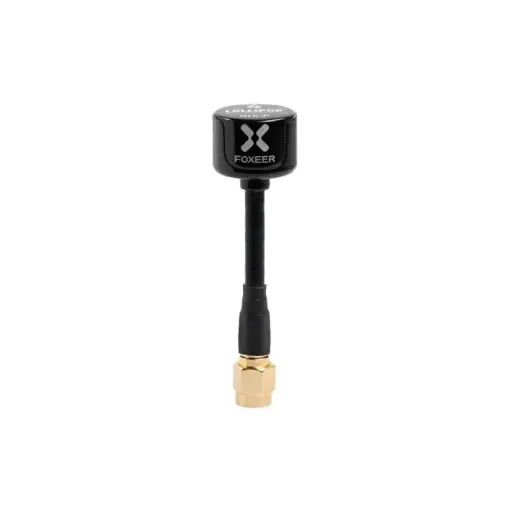
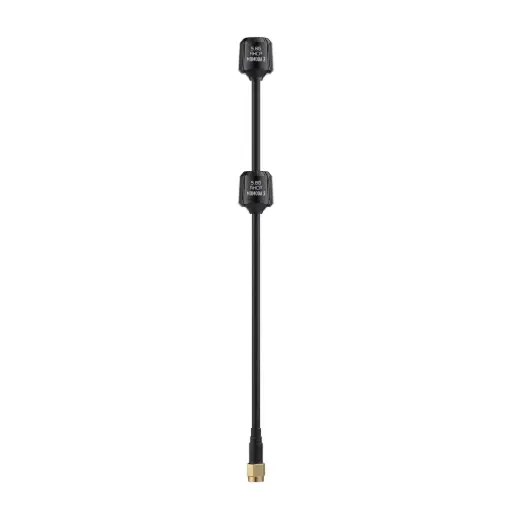
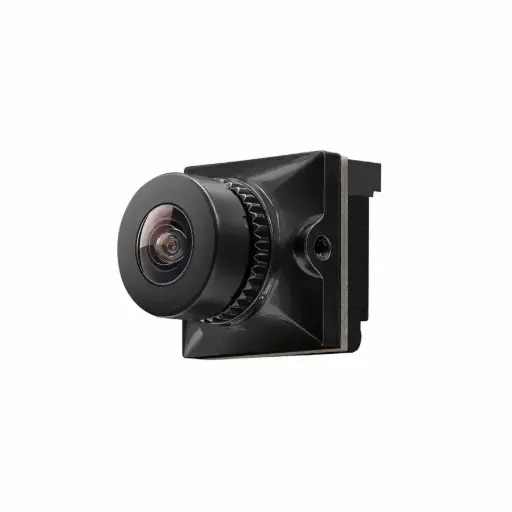
Antena 5,8 GHz z wtykiem SMA do gniazda nadajnika i analogowa kamera FPV zasilana z jego wyjścia 5 V.
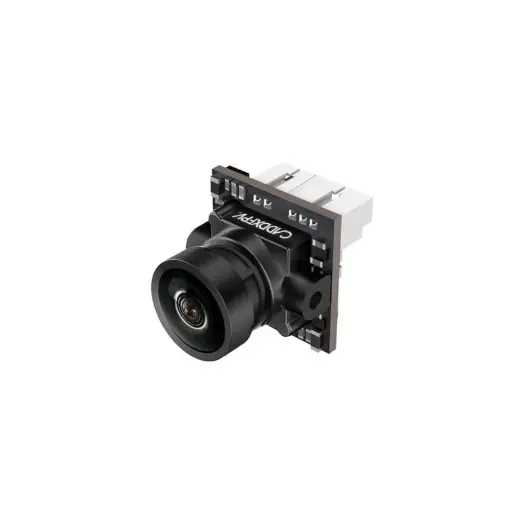
Jaka antena pasuje do gniazda SMA
Nadajnik ma gniazdo SMA żeńskie z kołnierzem i dwoma otworami do przykręcenia w ramie. Pasuje do niego antena z wtykiem SMA męskim – z bolcem w środku.
Wtyk RP-SMA ma odwrócony układ styków: nakręcisz go na gniazdo SMA, ale sygnał nie przejdzie. Sprawdź oznaczenie anteny przed zakupem.
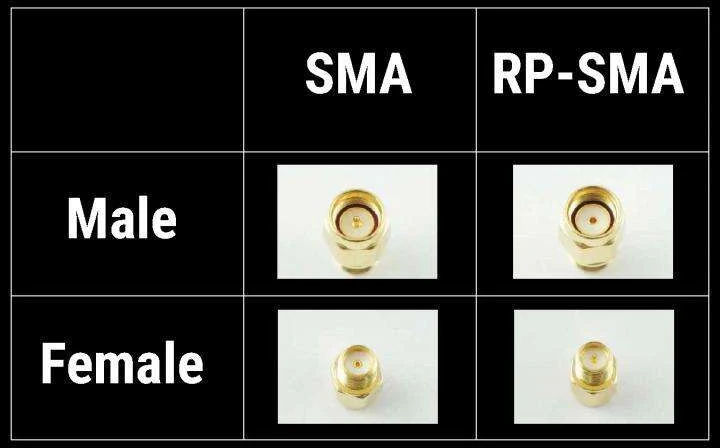
Podłączenie nadajnika TBS Unify Pro 5G8 HV
Przewód w zestawie wpinasz w złącze JST-GH 7-pin nadajnika, a drugi koniec lutujesz lub wpinasz w swoją instalację.
Zasilanie
- Czerwony
- plus z pakietu 2–6S (6–25 V), bez przetwornicy
- Czarny
- masa zasilania
Kamera
- Pomarańczowy
- wyjście 5 V dla kamery, maks. 0,5 A
- Czarny
- masa kamery
- Żółty
- wejście wideo z kamery
Sterowanie
- Biały
- SmartAudio – do pinu TX wolnego portu UART kontrolera lotu
Przewód wideo prowadź krótko i z dala od regulatorów, przewodów silników i odbiornika z telemetrią – inaczej pojawią się zakłócenia obrazu.
Wyjścia 5 V (pomarańczowy przewód) nigdy nie łącz z akumulatorem – trwale uszkodzisz nadajnik.
Montaż i chłodzenie TBS Unify Pro 5G8 HV
Nadajnik ma zintegrowany radiator. Najlepiej oddaje ciepło, gdy dobrze przylega do ramy.
- 01
Docisk do płyty węglowej
Zamontuj nadajnik z lekkim dociskiem do płaskiej płyty z włókna węglowego i zostaw mu trochę przepływu powietrza. Tak zamontowany długo pracuje na ziemi przy 25 i 200 mW.
- 02
500 i 800 mW
Przy tych mocach wystartuj najpóźniej minutę po włączeniu – w locie chłodzi go przepływ powietrza.
- 03
Ochrona przed przegrzaniem
Gorący nadajnik obniża moc, a po przegrzaniu wyłącza się, dopóki nie ostygnie. Gdy obraz znika, sprawdź montaż i dostęp powietrza.
Ustawienia kanału, pasma i mocy TBS Unify Pro 5G8 HV
Przycisk i dioda LED
Przytrzymaj przycisk 3 s – czerwona dioda mignie raz. Krótkimi naciśnięciami wybierasz kanał.
Przytrzymaj kolejne 3 s – czerwona dioda mignie dwa razy. Krótkimi naciśnięciami wybierasz pasmo.
Przytrzymaj 3 s – zapali się niebieska dioda, ustawienia są zapisane.
W menu pasma przytrzymaj przycisk 20–25 s – czerwona dioda mignie trzy razy. Masz wtedy dostęp do wszystkich kanałów i wyboru mocy. Blokujesz tak samo.
Po włączeniu stałe niebieskie światło oznacza nadajnik zablokowany, a czerwone z niebieskim – odblokowany.
SmartAudio w Betaflight
Biały przewód podłącz do pinu TX wolnego portu UART, w zakładce Ports ustaw dla niego TBS SmartAudio, a w CLI wklej tabelę VTX od TBS:
vtxtable bands 5vtxtable channels 8vtxtable band 1 BOSCAM_A A FACTORY 5865 5845 5825 5805 5785 5765 5745 5725vtxtable band 2 BOSCAM_B B FACTORY 5733 5752 5771 5790 5809 5828 5847 5866vtxtable band 3 BOSCAM_E E FACTORY 5705 5685 5665 5645 5885 5905 5925 5945vtxtable band 4 FATSHARK F FACTORY 5740 5760 5780 5800 5820 5840 5860 5880vtxtable band 5 RACEBAND R FACTORY 5658 5695 5732 5769 5806 5843 5880 5917vtxtable powerlevels 4vtxtable powervalues 0 1 2 3vtxtable powerlabels 25 200 500 800savePotem kanał, pasmo i moc zmienisz z menu OSD.
Tabela częstotliwości (MHz)
| Pasmo | 1 | 2 | 3 | 4 | 5 | 6 | 7 | 8 |
|---|---|---|---|---|---|---|---|---|
| A | 5865 | 5845 | 5825 | 5805 | 5785 | 5765 | 5745 | 5725 |
| B | 5733 | 5752 | 5771 | 5790 | 5809 | 5828 | 5847 | 5866 |
| E | 5705 | 5685 | 5665 | 5645 | 5885 | 5905 | 5925 | 5945 |
| Airwave | 5740 | 5760 | 5780 | 5800 | 5820 | 5840 | 5860 | 5880 |
| Race Band | 5658 | 5695 | 5732 | 5769 | 5806 | 5843 | 5880 | 5917 |
Menu przycisku – sygnały diod LED
| Czerwona dioda | Ustawienie | Wartości (liczba mignięć niebieskiej diody) |
|---|---|---|
| 1 mignięcie | Kanał | 1–8 |
| 2 mignięcia | Pasmo | 1 A · 2 B · 3 E · 4 Airwave · 5 Race Band |
| 3 mignięcia | Moc | 1 = 25 mW · 2 = 200 mW · 3 = 500 mW · 4 = 800 mW |
Nadajnik wideo TBS Unify Pro 5G8 HV (SMA) Specyfikacja
| Model | TBS Unify Pro 5G8 HV (SMA) |
|---|---|
| System wideo | analogowy |
| Zakres częstotliwości | 5658–5945 MHz |
| Liczba kanałów | 40 (5 pasm x 8) |
| Moc wyjściowa | 25 / 200 / 500 / 800 mW (powyżej 25 mW tylko z licencją HAM) |
| Napięcie wejściowe | 6–25 V (2–6S) |
| Wyjście zasilania kamery | 5 V, maks. 0,5 A |
| Pobór prądu | 250 mA (25 mW), 320 mA (200 mW), 460 mA (500 mW), 600 mA (800 mW) |
| Sterowanie | przycisk z diodami LED, SmartAudio V2.0 |
| Tryb PIT | tak (PitMode), CleanSwitch przy włączaniu i zmianie kanału |
| Format wideo | NTSC, PAL |
| Złącze antenowe | SMA żeńskie (gniazdo z kołnierzem do ramy) |
| Złącze przewodu | JST-GH 7-pin |
| Wymiary | 31 x 22 x 6 mm |
| Masa | 7 g (bez anteny) |
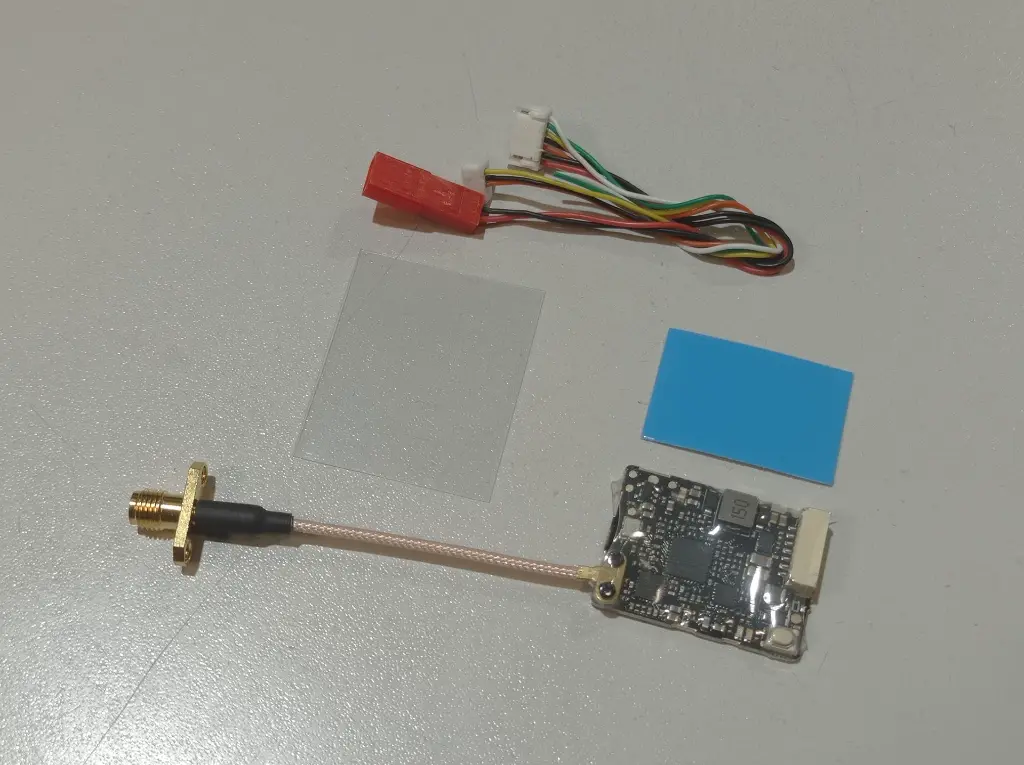
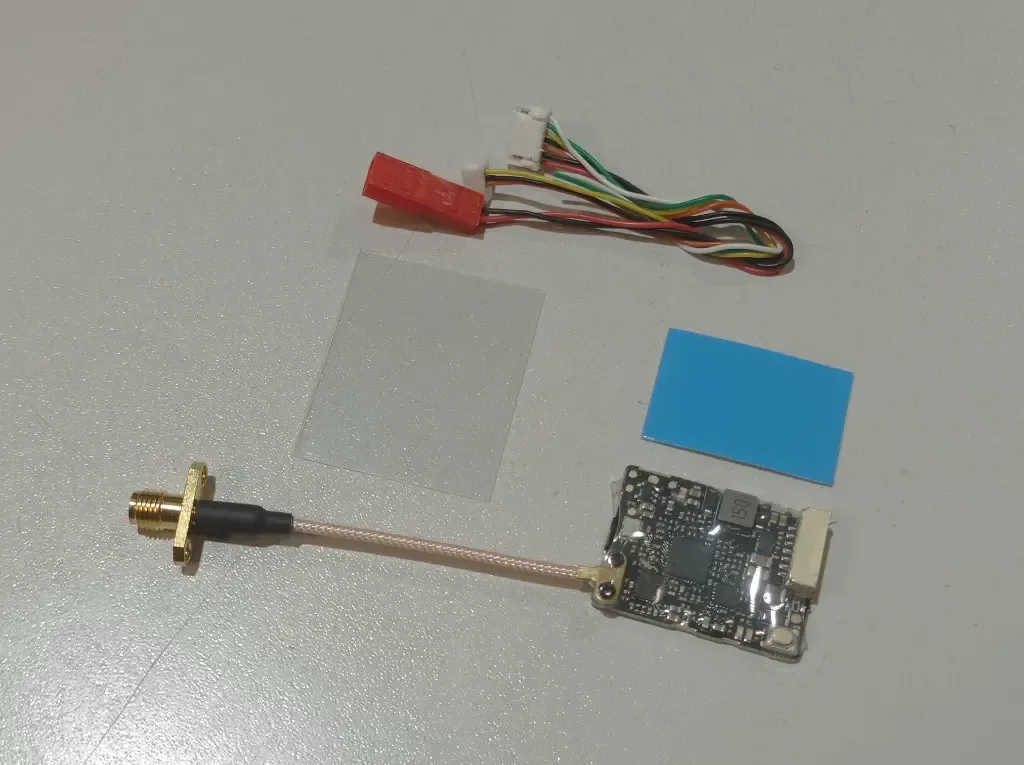
Zestaw Nadajnik wideo TBS Unify Pro 5G8 HV (SMA) zawiera
- Nadajnik wideo TBS Unify Pro 5G8 HV (SMA) x1
- Przewód zasilania, kamery i wideo JST-GH 7-pin x1
- Podkładka termiczna x1
- Folia ochronna x1
TBS Unify Pro 5G8 HV VTX — Clean Video Straight from the Pack
The TBS Unify Pro 5G8 HV is an analog 5.8GHz video transmitter for FPV drones, powered straight from a 2–6S pack (6–25V). It filters the power and supplies 5V to your camera, so you need no separate regulator. It transmits on 40 channels (5658–5945MHz) at 25, 200, 500 or 800mW, has an SMA antenna socket with holes for mounting to the frame, and weighs 7g.
Set the channel, band and power with the button or remotely over SmartAudio V2.0 from your flight controller OSD menu. Out of the box, the VTX runs at 25mW on legal channels only. Higher power levels and the remaining channels can be unlocked only with an amateur radio (HAM) licence.
Power Up Without Disturbing Other Pilots
Three TBS features that let you power up and change channels while others are in the air.
PitMode
- Output drops far below 1mW and range to 2–3m.
- You still see the image and can change settings without disturbing the race.
- Hold the button while powering up to enter it; the next power-up without the button is normal flight.
CleanSwitch
- While powering up and changing channels, the VTX transmits below 0.1mW.
- Power up and change channels without disturbing the video of pilots in the air.
SmartAudio V2.0
- Change the channel, band, power and PitMode from your flight controller OSD menu.
- One UART wire – no DIP switches or channel cards.
Recommended Components for the TBS Unify Pro 5G8 HV
A 5.8GHz antenna with an SMA plug for the VTX socket and an analog FPV camera powered from its 5V output.
Which Antenna Fits the SMA Socket
The VTX has a female SMA socket with a flange and two holes for screwing it to the frame. It takes an antenna with a male SMA plug – the one with a centre pin.
An RP-SMA plug has reversed contacts: it screws onto an SMA socket, but the signal will not pass. Check the antenna connector before you buy.
Connecting the TBS Unify Pro 5G8 HV
Plug the included cable into the VTX 7-pin JST-GH connector and solder or plug the other end into your build.
Power
- Red
- positive from a 2–6S pack (6–25V), no regulator needed
- Black
- power ground
Camera
- Orange
- 5V output for the camera, max. 0.5A
- Black
- camera ground
- Yellow
- video input from the camera
Control
- White
- SmartAudio – to the TX pin of a free flight controller UART
Keep the video wire short and away from ESCs, motor wires and receivers with telemetry – otherwise you will get video noise.
Never connect the 5V output (orange wire) to the battery – it will permanently damage the VTX.
Mounting and Cooling the TBS Unify Pro 5G8 HV
The VTX has an integrated heatsink. It sheds heat best when it sits firmly against the frame.
- 01
Press Against Carbon
Mount the VTX with slight pressure against a flat carbon fibre plate and leave it some airflow. Mounted this way, it runs for a long time on the ground at 25 and 200mW.
- 02
500 and 800mW
At these power levels, take off within a minute of powering up – in flight, the airflow cools it.
- 03
Overheat Protection
A hot VTX lowers its output, and if it overheats it shuts down until it cools. If the image drops out, check the mounting and airflow.
Channel, Band and Power Settings of the TBS Unify Pro 5G8 HV
Button and LED
Hold the button for 3s – the red LED flashes once. Pick the channel with short presses.
Hold for another 3s – the red LED flashes twice. Pick the band with short presses.
Hold for 3s – the blue LED lights up and the settings are saved.
In the band menu, hold the button for 20–25s – the red LED flashes three times. All channels and the power setting are then available. Lock it the same way.
After power-up, a solid blue LED means the VTX is locked, and red plus blue means unlocked.
SmartAudio in Betaflight
Connect the white wire to the TX pin of a free UART, set it to TBS SmartAudio in the Ports tab, and paste the TBS VTX table into the CLI:
vtxtable bands 5vtxtable channels 8vtxtable band 1 BOSCAM_A A FACTORY 5865 5845 5825 5805 5785 5765 5745 5725vtxtable band 2 BOSCAM_B B FACTORY 5733 5752 5771 5790 5809 5828 5847 5866vtxtable band 3 BOSCAM_E E FACTORY 5705 5685 5665 5645 5885 5905 5925 5945vtxtable band 4 FATSHARK F FACTORY 5740 5760 5780 5800 5820 5840 5860 5880vtxtable band 5 RACEBAND R FACTORY 5658 5695 5732 5769 5806 5843 5880 5917vtxtable powerlevels 4vtxtable powervalues 0 1 2 3vtxtable powerlabels 25 200 500 800saveThen change the channel, band and power from the OSD menu.
Frequency Table (MHz)
| Band | 1 | 2 | 3 | 4 | 5 | 6 | 7 | 8 |
|---|---|---|---|---|---|---|---|---|
| A | 5865 | 5845 | 5825 | 5805 | 5785 | 5765 | 5745 | 5725 |
| B | 5733 | 5752 | 5771 | 5790 | 5809 | 5828 | 5847 | 5866 |
| E | 5705 | 5685 | 5665 | 5645 | 5885 | 5905 | 5925 | 5945 |
| Airwave | 5740 | 5760 | 5780 | 5800 | 5820 | 5840 | 5860 | 5880 |
| Race Band | 5658 | 5695 | 5732 | 5769 | 5806 | 5843 | 5880 | 5917 |
Button Menu – LED Codes
| Red LED | Setting | Values (number of blue LED flashes) |
|---|---|---|
| 1 flash | Channel | 1–8 |
| 2 flashes | Band | 1 A · 2 B · 3 E · 4 Airwave · 5 Race Band |
| 3 flashes | Power | 1 = 25mW · 2 = 200mW · 3 = 500mW · 4 = 800mW |
TBS Unify Pro 5G8 HV (SMA) VTX Specification
| Model | TBS Unify Pro 5G8 HV (SMA) |
|---|---|
| Video System | analog |
| Frequency Range | 5658–5945MHz |
| Channels | 40 (5 bands x 8) |
| Output Power | 25 / 200 / 500 / 800mW (above 25mW with a HAM licence only) |
| Input Voltage | 6–25V (2–6S) |
| Camera Power Output | 5V, max. 0.5A |
| Current Draw | 250mA (25mW), 320mA (200mW), 460mA (500mW), 600mA (800mW) |
| Control | button with LEDs, SmartAudio V2.0 |
| Pit Mode | yes (PitMode), CleanSwitch on power-up and channel change |
| Video Format | NTSC, PAL |
| Antenna Connector | SMA female (flanged frame-mount socket) |
| Cable Connector | JST-GH 7-pin |
| Dimensions | 31x22x6mm |
| Weight | 7g (without antenna) |
TBS Unify Pro 5G8 HV (SMA) VTX Package Includes
- TBS Unify Pro 5G8 HV (SMA) video transmitter x1
- JST-GH 7-pin power, camera and video cable x1
- Thermal pad x1
- Protective film x1
Nadajnik wideo TBS Unify Pro 5G8 HV – Czysty obraz prosto z pakietu
TBS Unify Pro 5G8 HV to analogowy nadajnik wideo 5,8 GHz do dronów FPV, zasilany bezpośrednio z pakietu 2–6S (6–25 V). Filtruje zasilanie i daje 5 V dla kamery, więc nie potrzebujesz osobnej przetwornicy. Nadaje na 40 kanałach (5658–5945 MHz) z mocą 25, 200, 500 lub 800 mW, ma gniazdo antenowe SMA z otworami do przykręcenia w ramie i waży 7 g.
Kanał, pasmo i moc ustawisz przyciskiem albo zdalnie przez SmartAudio V2.0 – z menu OSD kontrolera lotu. Fabrycznie nadajnik pracuje z mocą 25 mW na legalnych kanałach. Wyższe moce i pozostałe kanały odblokujesz tylko z licencją krótkofalowca (HAM).
Start bez zakłóceń dla innych pilotów
Trzy funkcje TBS, dzięki którym włączysz drona i zmienisz kanał, gdy inni są w powietrzu.
PitMode
- Moc spada daleko poniżej 1 mW, a zasięg do 2–3 m.
- Widzisz obraz i zmienisz ustawienia, nie zakłócając wyścigu.
- Włączasz przytrzymując przycisk przy podłączaniu zasilania; następny start bez przycisku to zwykły lot.
CleanSwitch
- Przy włączaniu i zmianie kanału nadajnik nadaje z mocą poniżej 0,1 mW.
- Włączasz drona i zmieniasz kanał bez zakłócania obrazu pilotów w powietrzu.
SmartAudio V2.0
- Kanał, pasmo, moc i PitMode zmienisz z menu OSD kontrolera lotu.
- Jeden przewód UART – bez przełączników DIP i kart kanałów.
Polecane komponenty do TBS Unify Pro 5G8 HV
Antena 5,8 GHz z wtykiem SMA do gniazda nadajnika i analogowa kamera FPV zasilana z jego wyjścia 5 V.
Jaka antena pasuje do gniazda SMA
Nadajnik ma gniazdo SMA żeńskie z kołnierzem i dwoma otworami do przykręcenia w ramie. Pasuje do niego antena z wtykiem SMA męskim – z bolcem w środku.
Wtyk RP-SMA ma odwrócony układ styków: nakręcisz go na gniazdo SMA, ale sygnał nie przejdzie. Sprawdź oznaczenie anteny przed zakupem.
Podłączenie nadajnika TBS Unify Pro 5G8 HV
Przewód w zestawie wpinasz w złącze JST-GH 7-pin nadajnika, a drugi koniec lutujesz lub wpinasz w swoją instalację.
Zasilanie
- Czerwony
- plus z pakietu 2–6S (6–25 V), bez przetwornicy
- Czarny
- masa zasilania
Kamera
- Pomarańczowy
- wyjście 5 V dla kamery, maks. 0,5 A
- Czarny
- masa kamery
- Żółty
- wejście wideo z kamery
Sterowanie
- Biały
- SmartAudio – do pinu TX wolnego portu UART kontrolera lotu
Przewód wideo prowadź krótko i z dala od regulatorów, przewodów silników i odbiornika z telemetrią – inaczej pojawią się zakłócenia obrazu.
Wyjścia 5 V (pomarańczowy przewód) nigdy nie łącz z akumulatorem – trwale uszkodzisz nadajnik.
Montaż i chłodzenie TBS Unify Pro 5G8 HV
Nadajnik ma zintegrowany radiator. Najlepiej oddaje ciepło, gdy dobrze przylega do ramy.
- 01
Docisk do płyty węglowej
Zamontuj nadajnik z lekkim dociskiem do płaskiej płyty z włókna węglowego i zostaw mu trochę przepływu powietrza. Tak zamontowany długo pracuje na ziemi przy 25 i 200 mW.
- 02
500 i 800 mW
Przy tych mocach wystartuj najpóźniej minutę po włączeniu – w locie chłodzi go przepływ powietrza.
- 03
Ochrona przed przegrzaniem
Gorący nadajnik obniża moc, a po przegrzaniu wyłącza się, dopóki nie ostygnie. Gdy obraz znika, sprawdź montaż i dostęp powietrza.
Ustawienia kanału, pasma i mocy TBS Unify Pro 5G8 HV
Przycisk i dioda LED
Przytrzymaj przycisk 3 s – czerwona dioda mignie raz. Krótkimi naciśnięciami wybierasz kanał.
Przytrzymaj kolejne 3 s – czerwona dioda mignie dwa razy. Krótkimi naciśnięciami wybierasz pasmo.
Przytrzymaj 3 s – zapali się niebieska dioda, ustawienia są zapisane.
W menu pasma przytrzymaj przycisk 20–25 s – czerwona dioda mignie trzy razy. Masz wtedy dostęp do wszystkich kanałów i wyboru mocy. Blokujesz tak samo.
Po włączeniu stałe niebieskie światło oznacza nadajnik zablokowany, a czerwone z niebieskim – odblokowany.
SmartAudio w Betaflight
Biały przewód podłącz do pinu TX wolnego portu UART, w zakładce Ports ustaw dla niego TBS SmartAudio, a w CLI wklej tabelę VTX od TBS:
vtxtable bands 5vtxtable channels 8vtxtable band 1 BOSCAM_A A FACTORY 5865 5845 5825 5805 5785 5765 5745 5725vtxtable band 2 BOSCAM_B B FACTORY 5733 5752 5771 5790 5809 5828 5847 5866vtxtable band 3 BOSCAM_E E FACTORY 5705 5685 5665 5645 5885 5905 5925 5945vtxtable band 4 FATSHARK F FACTORY 5740 5760 5780 5800 5820 5840 5860 5880vtxtable band 5 RACEBAND R FACTORY 5658 5695 5732 5769 5806 5843 5880 5917vtxtable powerlevels 4vtxtable powervalues 0 1 2 3vtxtable powerlabels 25 200 500 800savePotem kanał, pasmo i moc zmienisz z menu OSD.
Tabela częstotliwości (MHz)
| Pasmo | 1 | 2 | 3 | 4 | 5 | 6 | 7 | 8 |
|---|---|---|---|---|---|---|---|---|
| A | 5865 | 5845 | 5825 | 5805 | 5785 | 5765 | 5745 | 5725 |
| B | 5733 | 5752 | 5771 | 5790 | 5809 | 5828 | 5847 | 5866 |
| E | 5705 | 5685 | 5665 | 5645 | 5885 | 5905 | 5925 | 5945 |
| Airwave | 5740 | 5760 | 5780 | 5800 | 5820 | 5840 | 5860 | 5880 |
| Race Band | 5658 | 5695 | 5732 | 5769 | 5806 | 5843 | 5880 | 5917 |
Menu przycisku – sygnały diod LED
| Czerwona dioda | Ustawienie | Wartości (liczba mignięć niebieskiej diody) |
|---|---|---|
| 1 mignięcie | Kanał | 1–8 |
| 2 mignięcia | Pasmo | 1 A · 2 B · 3 E · 4 Airwave · 5 Race Band |
| 3 mignięcia | Moc | 1 = 25 mW · 2 = 200 mW · 3 = 500 mW · 4 = 800 mW |
Nadajnik wideo TBS Unify Pro 5G8 HV (SMA) Specyfikacja
| Model | TBS Unify Pro 5G8 HV (SMA) |
|---|---|
| System wideo | analogowy |
| Zakres częstotliwości | 5658–5945 MHz |
| Liczba kanałów | 40 (5 pasm x 8) |
| Moc wyjściowa | 25 / 200 / 500 / 800 mW (powyżej 25 mW tylko z licencją HAM) |
| Napięcie wejściowe | 6–25 V (2–6S) |
| Wyjście zasilania kamery | 5 V, maks. 0,5 A |
| Pobór prądu | 250 mA (25 mW), 320 mA (200 mW), 460 mA (500 mW), 600 mA (800 mW) |
| Sterowanie | przycisk z diodami LED, SmartAudio V2.0 |
| Tryb PIT | tak (PitMode), CleanSwitch przy włączaniu i zmianie kanału |
| Format wideo | NTSC, PAL |
| Złącze antenowe | SMA żeńskie (gniazdo z kołnierzem do ramy) |
| Złącze przewodu | JST-GH 7-pin |
| Wymiary | 31 x 22 x 6 mm |
| Masa | 7 g (bez anteny) |
Zestaw Nadajnik wideo TBS Unify Pro 5G8 HV (SMA) zawiera
- Nadajnik wideo TBS Unify Pro 5G8 HV (SMA) x1
- Przewód zasilania, kamery i wideo JST-GH 7-pin x1
- Podkładka termiczna x1
- Folia ochronna x1
TBS Unify Pro 5G8 HV VTX — Clean Video Straight from the Pack
The TBS Unify Pro 5G8 HV is an analog 5.8GHz video transmitter for FPV drones, powered straight from a 2–6S pack (6–25V). It filters the power and supplies 5V to your camera, so you need no separate regulator. It transmits on 40 channels (5658–5945MHz) at 25, 200, 500 or 800mW, has an SMA antenna socket with holes for mounting to the frame, and weighs 7g.
Set the channel, band and power with the button or remotely over SmartAudio V2.0 from your flight controller OSD menu. Out of the box, the VTX runs at 25mW on legal channels only. Higher power levels and the remaining channels can be unlocked only with an amateur radio (HAM) licence.
Power Up Without Disturbing Other Pilots
Three TBS features that let you power up and change channels while others are in the air.
PitMode
- Output drops far below 1mW and range to 2–3m.
- You still see the image and can change settings without disturbing the race.
- Hold the button while powering up to enter it; the next power-up without the button is normal flight.
CleanSwitch
- While powering up and changing channels, the VTX transmits below 0.1mW.
- Power up and change channels without disturbing the video of pilots in the air.
SmartAudio V2.0
- Change the channel, band, power and PitMode from your flight controller OSD menu.
- One UART wire – no DIP switches or channel cards.
Recommended Components for the TBS Unify Pro 5G8 HV
A 5.8GHz antenna with an SMA plug for the VTX socket and an analog FPV camera powered from its 5V output.
Which Antenna Fits the SMA Socket
The VTX has a female SMA socket with a flange and two holes for screwing it to the frame. It takes an antenna with a male SMA plug – the one with a centre pin.
An RP-SMA plug has reversed contacts: it screws onto an SMA socket, but the signal will not pass. Check the antenna connector before you buy.
Connecting the TBS Unify Pro 5G8 HV
Plug the included cable into the VTX 7-pin JST-GH connector and solder or plug the other end into your build.
Power
- Red
- positive from a 2–6S pack (6–25V), no regulator needed
- Black
- power ground
Camera
- Orange
- 5V output for the camera, max. 0.5A
- Black
- camera ground
- Yellow
- video input from the camera
Control
- White
- SmartAudio – to the TX pin of a free flight controller UART
Keep the video wire short and away from ESCs, motor wires and receivers with telemetry – otherwise you will get video noise.
Never connect the 5V output (orange wire) to the battery – it will permanently damage the VTX.
Mounting and Cooling the TBS Unify Pro 5G8 HV
The VTX has an integrated heatsink. It sheds heat best when it sits firmly against the frame.
- 01
Press Against Carbon
Mount the VTX with slight pressure against a flat carbon fibre plate and leave it some airflow. Mounted this way, it runs for a long time on the ground at 25 and 200mW.
- 02
500 and 800mW
At these power levels, take off within a minute of powering up – in flight, the airflow cools it.
- 03
Overheat Protection
A hot VTX lowers its output, and if it overheats it shuts down until it cools. If the image drops out, check the mounting and airflow.
Channel, Band and Power Settings of the TBS Unify Pro 5G8 HV
Button and LED
Hold the button for 3s – the red LED flashes once. Pick the channel with short presses.
Hold for another 3s – the red LED flashes twice. Pick the band with short presses.
Hold for 3s – the blue LED lights up and the settings are saved.
In the band menu, hold the button for 20–25s – the red LED flashes three times. All channels and the power setting are then available. Lock it the same way.
After power-up, a solid blue LED means the VTX is locked, and red plus blue means unlocked.
SmartAudio in Betaflight
Connect the white wire to the TX pin of a free UART, set it to TBS SmartAudio in the Ports tab, and paste the TBS VTX table into the CLI:
vtxtable bands 5vtxtable channels 8vtxtable band 1 BOSCAM_A A FACTORY 5865 5845 5825 5805 5785 5765 5745 5725vtxtable band 2 BOSCAM_B B FACTORY 5733 5752 5771 5790 5809 5828 5847 5866vtxtable band 3 BOSCAM_E E FACTORY 5705 5685 5665 5645 5885 5905 5925 5945vtxtable band 4 FATSHARK F FACTORY 5740 5760 5780 5800 5820 5840 5860 5880vtxtable band 5 RACEBAND R FACTORY 5658 5695 5732 5769 5806 5843 5880 5917vtxtable powerlevels 4vtxtable powervalues 0 1 2 3vtxtable powerlabels 25 200 500 800saveThen change the channel, band and power from the OSD menu.
Frequency Table (MHz)
| Band | 1 | 2 | 3 | 4 | 5 | 6 | 7 | 8 |
|---|---|---|---|---|---|---|---|---|
| A | 5865 | 5845 | 5825 | 5805 | 5785 | 5765 | 5745 | 5725 |
| B | 5733 | 5752 | 5771 | 5790 | 5809 | 5828 | 5847 | 5866 |
| E | 5705 | 5685 | 5665 | 5645 | 5885 | 5905 | 5925 | 5945 |
| Airwave | 5740 | 5760 | 5780 | 5800 | 5820 | 5840 | 5860 | 5880 |
| Race Band | 5658 | 5695 | 5732 | 5769 | 5806 | 5843 | 5880 | 5917 |
Button Menu – LED Codes
| Red LED | Setting | Values (number of blue LED flashes) |
|---|---|---|
| 1 flash | Channel | 1–8 |
| 2 flashes | Band | 1 A · 2 B · 3 E · 4 Airwave · 5 Race Band |
| 3 flashes | Power | 1 = 25mW · 2 = 200mW · 3 = 500mW · 4 = 800mW |
TBS Unify Pro 5G8 HV (SMA) VTX Specification
| Model | TBS Unify Pro 5G8 HV (SMA) |
|---|---|
| Video System | analog |
| Frequency Range | 5658–5945MHz |
| Channels | 40 (5 bands x 8) |
| Output Power | 25 / 200 / 500 / 800mW (above 25mW with a HAM licence only) |
| Input Voltage | 6–25V (2–6S) |
| Camera Power Output | 5V, max. 0.5A |
| Current Draw | 250mA (25mW), 320mA (200mW), 460mA (500mW), 600mA (800mW) |
| Control | button with LEDs, SmartAudio V2.0 |
| Pit Mode | yes (PitMode), CleanSwitch on power-up and channel change |
| Video Format | NTSC, PAL |
| Antenna Connector | SMA female (flanged frame-mount socket) |
| Cable Connector | JST-GH 7-pin |
| Dimensions | 31x22x6mm |
| Weight | 7g (without antenna) |
TBS Unify Pro 5G8 HV (SMA) VTX Package Includes
- TBS Unify Pro 5G8 HV (SMA) video transmitter x1
- JST-GH 7-pin power, camera and video cable x1
- Thermal pad x1
- Protective film x1